A Creative Way to Collect Feedback After an AI Course: Let ChatGPT or Claude Interview Your Trainees

An AI-assisted testimonial is course feedback that a trainee writes together with their own AI assistant. At the end of my AI training sessions, the trainee scans a QR code, opens ChatGPT or Claude, and the assistant interviews them for two minutes. It then hands back a link that opens the testimonial form on my site already filled in. The trainee checks it and presses Send. Nothing is sent without them.
I built this because the classic end-of-course form has two problems. People are tired by the last slide, so they skip it. And the ones who do fill it in write "Great session, thanks!", which tells the next client nothing. Asking trainees to use the tool they spent the day learning fixes both, and it turns the feedback into one last hands-on exercise.
How does it work for the trainee?
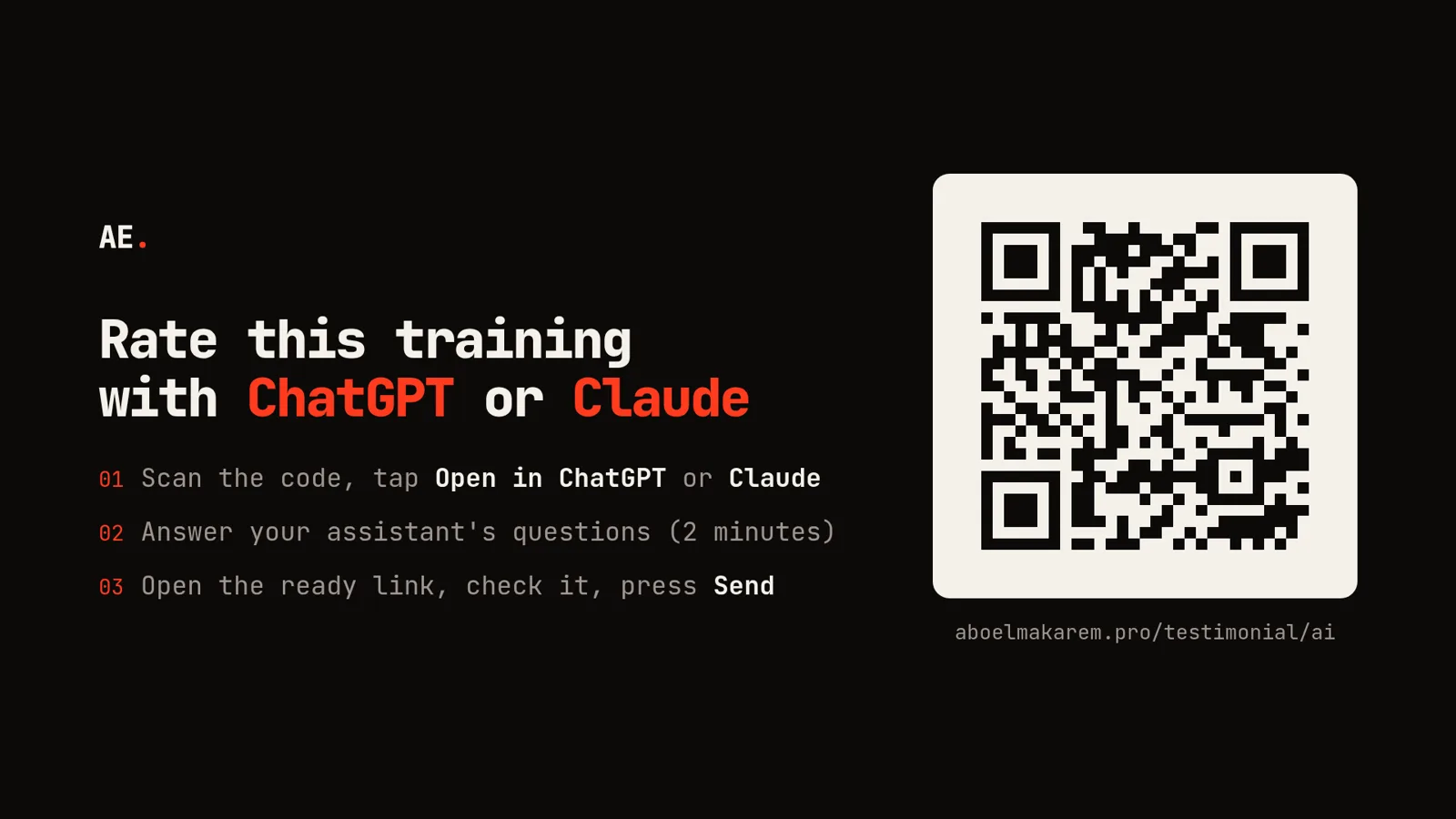 The last slide of every session: scan the code, open ChatGPT or Claude, send the ready link
- Scan the QR code on the final slide. It opens aboelmakarem.pro/testimonial/ai.
- Tap "Open in ChatGPT" or "Open in Claude". The chat opens with the instructions already written in. People on Gemini or another assistant tap "Copy the prompt" and paste it.
- Answer the assistant's questions, one at a time, in Arabic or English: name, job title, company, country, LinkedIn profile, which training, what they thought of it, and one concrete thing that changed in their work.
- Approve the wording. The assistant turns the answers into a short testimonial and asks for an OK before going further.
- Open the link it returns. The form opens filled in. The trainee adds their email, ticks the consent box and presses Send. The testimonial appears on my site straight away, with their name, role, LinkedIn photo and an "Open LinkedIn" button.
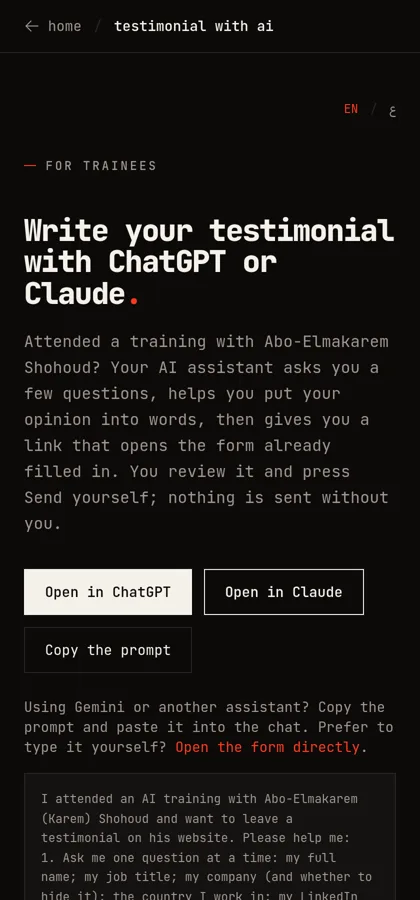 The landing page trainees reach from the QR code
Why does it fit an AI training so well?
Because it is the course in miniature. In two minutes the trainee sees an assistant follow a structured brief, ask clarifying questions, rewrite their words without adding claims, and produce something they can act on. That is exactly the behaviour I spend the day teaching.
It also produces better testimonials. The assistant asks the question most people skip, "what changed in your work after the training?", and that answer ("I now draft job descriptions in 15 minutes instead of an hour") is what persuades the next HR manager reading the page.
How did we build it?
The whole thing runs inside my Next.js site on Netlify, with Supabase as the database. There are five pieces.
1. A prompt that works without web browsing
The ChatGPT and Claude buttons are plain deep links: chatgpt.com/?q=<prompt> and claude.ai/new?q=<prompt>, where the prompt is URL-encoded. I made the prompt self-contained, so it works even when the assistant cannot browse the web. It tells the assistant to:
- interview the trainee one question at a time, in their language;
- write the testimonial in the trainee's own words, with no exaggeration and nothing they did not say;
- show the final text and wait for their approval;
- return one link in a fixed format and tell the trainee to press Send themselves, never submitting anything on their behalf.
2. A pre-filled link that never touches the server
The link the assistant returns looks like this:
https://aboelmakarem.pro/testimonial#name=Sara%20Ahmed&title=HR%20Manager&country=Egypt&training=employees"e=...
Everything after the # is the URL fragment. Browsers never send the fragment to the server, so the trainee's details stay on their phone until they press Send, and they do not end up in server logs or analytics. When the form loads, a few lines of JavaScript read the fragment and fill the matching fields. Two rules are hard-coded: unknown values are ignored, and the consent box is never ticked automatically.
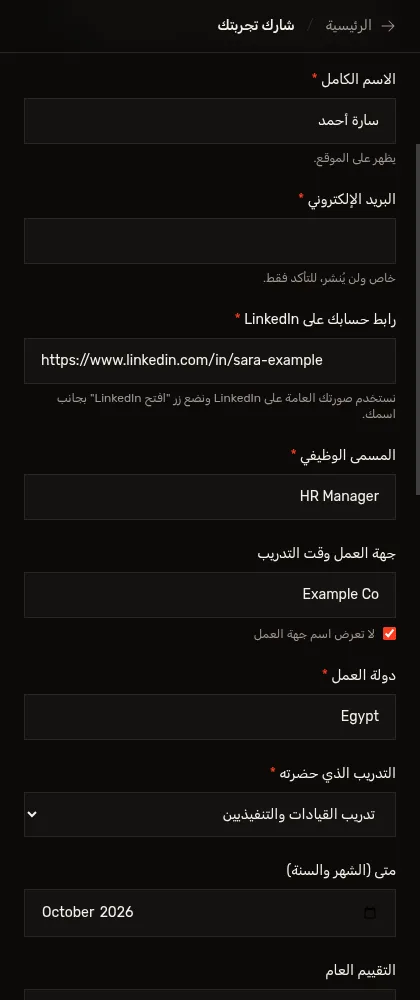 The form opened from the assistant's link, already filled in (demo data)
3. The form, the photo and the database
When the trainee presses Send, an API route validates every field again on the server. It then reads the public profile photo from the LinkedIn link through the same preview tags LinkedIn serves when you paste a profile into a chat app. The photo is copied into our own database, so the site never hot-links LinkedIn's expiring image URLs. If the profile is private, the card shows the trainee's initials, or a photo they chose to upload.
Visitors never touch the database tables directly. The website's public key can only call four database functions: submit, publish or hide, list the published testimonials, and fetch a photo. The email address is stored in a separate table that no public function can read.
4. Published at once, with a hide button for me
I chose to publish testimonials immediately instead of holding them for approval, because a trainee who presses Send in the room wants to see their words on the page. In exchange, every new testimonial sends an email to my inbox with all the details, the name exactly as it appears on LinkedIn (so I can spot a mismatch), and a "Hide it from the site" link. That link is signed with a secret key, so nobody can forge it. Opening it shows a confirmation page first, which also stops email security scanners that pre-open links from hiding anything by accident.
5. An MCP connector and an invitation for AI assistants
For people who connect tools to Claude or ChatGPT, the site also runs a small MCP server at aboelmakarem.pro/mcp. MCP (Model Context Protocol) is the standard way AI assistants call external tools. It offers three tools: one that returns the instructions, one that builds the pre-filled link (the recommended path), and one that publishes directly. The direct one only works when the assistant confirms the trainee read the final text and agreed to publish it, and it requires their email.
Finally, the site's llms.txt file, the plain-text summary AI assistants read about a website, now has a short section saying that trainees can leave a testimonial this way, with a link to the instructions. So a trainee who tells any assistant "I want to leave a review for Karem Shohoud's training" can be pointed to the right place without me in the loop.
| Way to collect feedback | Effort for the trainee | Quality of what you get | Consent | Setup |
|---|---|---|---|---|
| Paper or Google Form at the end | Typing on a phone, tired | Short and generic | Implicit | Minutes |
| Email a week later | Low, but most never reply | Better, rare | Implicit | Minutes |
| AI-assisted link (this method) | Answer questions out loud or by typing | Specific, with a concrete result | Explicit tick + Send | A small web app |
| MCP connector | Lowest, inside their assistant | Specific | Assistant must confirm approval | Trainee adds a connector |
What are the risks, and how are they handled?
- Invented praise. An assistant could polish a testimonial into something the trainee never said. The prompt forbids adding facts or results, and the trainee approves the final text twice: once in the chat and once in the form.
- Fake testimonials. The page is public, so someone who never attended could post one. A LinkedIn profile is required, the notification email shows the name LinkedIn reports, and one click hides an entry.
- Privacy. The email is never published, the pre-fill stays in the URL fragment, and the trainee can hide their company name.
- Search engines. Google does not show review stars for testimonials a business publishes about itself, so I do not add review markup. The value is real names, real roles and concrete results on the page, which build trust with clients and with AI search tools alike.
How can you use it in your own training?
Put the QR code on your last slide and leave three minutes for it before you close. Say why you are asking: "use the tool we practised today to tell the next team what changed for you." Ask for one concrete result, not a score. And keep a manual form link on the same page for anyone who prefers to type it themselves.
Frequently asked questions
Does the AI assistant submit the testimonial for me?
No. On the standard path the assistant only prepares a link. You open it, check every field, tick consent and press Send yourself. Only the optional MCP connector can publish directly, and only after you approve the final text.
Is my email address published?
No. It is stored separately and only used to confirm who wrote the testimonial if a question comes up.
Which AI assistants does it work with?
ChatGPT and Claude through the one-tap buttons, and any other assistant, such as Gemini or Copilot, by pasting the prompt. The assistant does not need web access, because the prompt carries all the instructions.
Why is a LinkedIn profile required?
It is the simplest public proof that a real person wrote the testimonial. It also supplies the photo and lets readers open the trainee's profile from the card.
Can I write it without an AI assistant?
Yes. The same page links straight to the empty form.
If you want this kind of hands-on, practical session for your team, see my AI training for employees and executives. Trainees from my past sessions can leave their testimonial at aboelmakarem.pro/testimonial/ai.