إتقان تطوير تطبيقات الذكاء الاصطناعي الصوتي في 2026: دليل شامل من واجهة برمجة تطبيقات الويب إلى توسيع نطاق وحدات معالجة الرسومات

بقلم أبوالمكارم شهود | Ailigent
مقدمة: التحول متعدد الوسائط في عام 2026
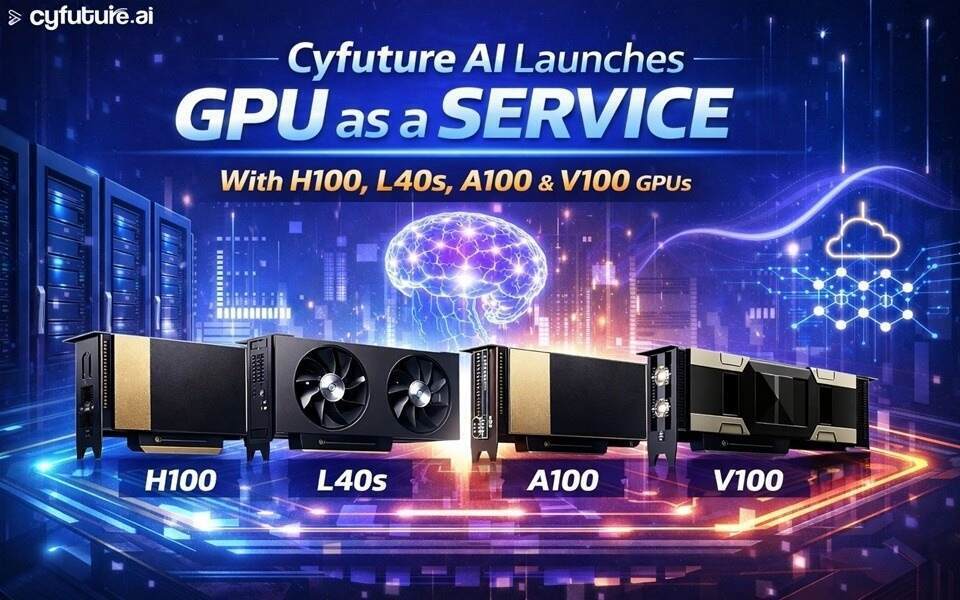 صورة توضيحية: Cyfuture AI Launches GPU as a Service with H100, L40S, A100 and V100 GPUs
المصدر: Dev.to AI
صورة توضيحية: Cyfuture AI Launches GPU as a Service with H100, L40S, A100 and V100 GPUs
المصدر: Dev.to AI
بينما نمر بالربع الأول من عام 2026، تحول مشهد الذكاء الاصطناعي من التفاعلات المعتمدة على النصوص إلى تجارب سلسة ومتعددة الوسائط. لم يعد المستخدمون يرغبون في الكتابة فحسب؛ بل يريدون التحدث والاستماع والتفاعل مع التطبيقات في الوقت الفعلي. بالنسبة لأصحاب الأعمال والمتخصصين في التكنولوجيا، فإن البقاء في المقدمة يعني إتقان كامل مراحل تطوير الذكاء الاصطناعي—من واجهات مستوى المتصفح إلى البنية التحتية السحابية الثقيلة التي تشغل النماذج العالمية.
في هذا الدليل التعليمي، سنستكشف دورة حياة تطبيق ذكاء اصطناعي حديث. سنبدأ ببناء واجهة مدعومة بالصوت باستخدام Web Speech API، ثم ننتقل إلى تقنيات تصحيح الأخطاء المتقدمة باستخدام أدوات مطوري Chrome لضمان مرونة الواجهة الأمامية، وأخيرًا ننظر في كيفية توسيع نطاق هذه التطبيقات باستخدام أحدث عروض وحدات معالجة الرسومات كخدمة (GPUaaS)، مثل تلك التي أطلقتها Cyfuture AI مؤخرًا.
في Ailigent، بقيادة أبوالمكارم شهود، نؤمن بأن دمقرطة الحوسبة عالية الأداء وواجهات برمجة تطبيقات الويب التي يمكن الوصول إليها هي المفتاح للجيل القادم من الأتمتة.
أهداف التعلم
بحلول نهاية هذا الدليل، ستكون قادرًا على:
- تنفيذ التعرف على الصوت وتوليد الكلام في الوقت الفعلي باستخدام Web Speech API.
- استخدام أدوات مطوري Chrome لتجاوز استجابات API لاختبار الواجهة الأمامية بشكل قوي.
- فهم الاختلافات بين وحدات معالجة الرسومات الحديثة من NVIDIA (H100, L40S, A100) لتوسيع أعباء عمل الذكاء الاصطناعي.
- تصميم بنية قابلة للتوسع تربط بين تفاعل المستخدم وقوة الخادم.
الجزء 1: بناء واجهة الصوت باستخدام Web Speech API
واجهة برمجة تطبيقات Web Speech هي واجهة أصلية في المتصفح تمكن تطبيقات الويب من دمج قدرات التعرف على الصوت وتحويل النص إلى كلام دون الحاجة إلى مكتبات خارجية أو تبعات ثقيلة.
في عام 2026، نضجت معايير الويب لدرجة أن معالجة الكلام عالية الدقة أصبحت متاحة مباشرة في المتصفح. هذا أمر ضروري لبناء "الذكاء الاصطناعي الوكيل" (Agentic AI)—وهي أنظمة يمكنها التصرف بناءً على الأوامر المنطوقة.
الخطوة 1: إعداد التعرف على الكلام
للبدء، نحتاج إلى تهيئة كائن SpeechRecognition. لاحظ أنه في المتصفحات الحديثة، قد لا يزال هذا يتطلب بادئة معينة.
const recognition = new (window.SpeechRecognition || window.webkitSpeechRecognition)();
recognition.lang = 'ar-SA'; // تعيين اللغة إلى العربية
recognition.interimResults = false;
recognition.maxAlternatives = 1;

// بدء التقاط الصوت
document.querySelector('#start-btn').onclick = () => {
  recognition.start();
  console.log('جاري الاستماع لأمرك...');
};
الخطوة 2: معالجة النتيجة
بمجرد توقف المستخدم عن الكلام، نقوم بالتقاط النص وإرساله إلى خلفية الذكاء الاصطناعي لدينا.
recognition.onresult = (event) => {
  const speechToText = event.results[0][0].transcript;
  console.log('لقد قلت: ', speechToText);
  // منطق إرسال النص إلى نموذج اللغة الكبير الخاص بك
  processAICommand(speechToText);
};
تمرين "جربها بنفسك"
قم بإنشاء صفحة HTML بسيطة بها زر. استخدم الكود أعلاه لتسجيل كل ما تقوله في وحدة التحكم (Console). هل يمكنك تعديله لتغيير لون خلفية الصفحة عندما تقول "اجعل الشاشة زرقاء"؟
 صورة توضيحية: How to Override API Responses and Headers in Chrome DevTools: A Step-by-Step Guide
المصدر: freeCodeCamp
صورة توضيحية: How to Override API Responses and Headers in Chrome DevTools: A Step-by-Step Guide
المصدر: freeCodeCamp
الجزء 2: التطوير المرن باستخدام تجاوزات أدوات مطوري Chrome
غالبًا ما يتضمن تطوير تطبيقات الذكاء الاصطناعي التعامل مع تأخيرات غير متوقعة في واجهة برمجة التطبيقات أو ميزات خلفية غير مكتملة. في عام 2026، يجب أن يكون مطورو الواجهة الأمامية قادرين على محاكاة سيناريوهات مختلفة لضمان تجربة مستخدم سلسة.
تجاوزات المواقع المحلية (Local Overrides) في أدوات مطوري Chrome هي ميزة تسمح للمطورين بحفظ التغييرات التي تم إجراؤها على استجابات الشبكة والرؤوس (Headers) محليًا، مما يحاكي سلوك الخلفية بفعالية دون تغيير كود المصدر.
كيفية تجاوز استجابة API لاختبار الذكاء الاصطناعي
عندما ينتظر تطبيق الصوت الخاص بك استجابة من نموذج لغة كبير (LLM)، قد ترغب في اختبار كيفية تعامل واجهة المستخدم مع خطأ "الخادم مشغول" أو استجابة JSON بتنسيق معين.
- افتح أدوات المطور: انقر بزر الماوس الأيمن على تطبيقك واختر "فحص" (Inspect).
- تبويب الشبكة (Network): ابحث عن طلب API الذي تريد محاكاته.
- اختر 'Override Content': انقر بزر الماوس الأيمن على الطلب واختر "Override content".
- إعداد مجلد التجاوزات: سيطلب منك Chrome اختيار مجلد محلي لحفظ هذه التجاوزات. اختر مجلدًا آمنًا وانقر على "سماح".
- تعديل الاستجابة: يمكنك الآن تعديل جسم JSON لاستجابة API مباشرة في تبويب "Sources" أو "Network".
هذه التقنية لا تقدر بثمن عندما تعرض نموذجًا أوليًا لأصحاب المصلحة وتكون واجهة برمجة التطبيقات المباشرة قيد التحديث حاليًا أو تحت ضغط كبير.
الجزء 3: التوسع في السحابة باستخدام GPUaaS
بينما تتعامل Web Speech API مع الواجهة، فإن "عقل" تطبيقك—سواء كان LLM أو نموذجًا توليديًا—يتطلب قوة حوسبة هائلة. في عام 2026، نشهد طفرة في وحدات معالجة الرسومات كخدمة (GPUaaS)، وهي نموذج حوسبة سحابية حيث يستأجر المستخدمون الوصول إلى وحدات معالجة الرسومات (GPUs) القوية على أساس الدفع حسب الاستخدام.
مؤخرًا، قام مزودون مثل Cyfuture AI بتوسيع بنيتهم التحتية لتشمل أقوى شرائح NVIDIA. بالنسبة للمطورين في عام 2026، يعد اختيار الأجهزة المناسبة توازنًا بين التكلفة والأداء.
مقارنة موارد حوسبة الذكاء الاصطناعي (معايير 2026)
| طراز وحدة معالجة الرسومات | حالة الاستخدام الرئيسية | مقياس الأداء (تقريبي) | مثالي لـ |
|---|---|---|---|
| NVIDIA H100 | تدريب نماذج LLM واسعة النطاق | 3 مرات أسرع من A100 | الذكاء الاصطناعي التوليدي للمؤسسات |
| NVIDIA L40S | الذكاء الاصطناعي العام والرسومات | إنتاجية عالية للاستدلال | معالجة الصوت/الفيديو في الوقت الفعلي |
| NVIDIA A100 | التعلم العميق العام | معيار الصناعة لعام 2025 | توسيع نطاق مستقر وفعال من حيث التكلفة |
| NVIDIA V100 | أعباء عمل الذكاء الاصطناعي القديمة | موثوق للنماذج الأصغر | الشركات الناشئة ذات الميزانية المحدودة |
بالنسبة لتطبيق يعمل بالصوت يتطلب أوقات استجابة فورية تقريبًا، فإن الاستفادة من L40S أو H100 عبر مزود GPUaaS تضمن بقاء زمن الانتقال بين إنهاء المستخدم لجملته واستجابة الذكاء الاصطناعي أقل من 200 مللي ثانية.
دمج التقنيات: سير عمل Ailigent
في Ailigent، نوصي ببنية ثلاثية المستويات لمشاريع الذكاء الاصطناعي في عام 2026:
- مستوى الحافة (Edge Tier): استخدم Web Speech API لالتقاط الصوت بزمن انتقال منخفض والتعرف الأساسي على النوايا.
- مستوى الاختبار (Testing Tier): استخدم تجاوزات أدوات مطوري Chrome أثناء خط أنابيب CI/CD لمحاكاة الحالات المتطرفة وفشل API.
- مستوى الاستدلال (Inference Tier): استخدم GPUaaS عالي الأداء (مثل مثيلات H100) لتشغيل نماذجك المخصصة، مما يضمن تنفيذ العمل الشاق على أجهزة محسنة للمهمة.
يقلل هذا النهج التكاليف عن طريق استخدام ساعات GPU الباهظة فقط عند الضرورة، مع توفير واجهة سريعة واحترافية للمستخدم النهائي.
النقاط الرئيسية المستفادة
- الصوت هو واجهة مستخدم 2026: استفد من Web Speech API لتوفير تفاعل صوتي أصلي بدون مكتبات في أي متصفح حديث.
- المحاكاة ضرورية: استخدم تجاوزات أدوات مطوري Chrome لتخطي اختناقات الخلفية أثناء التطوير وعروض أصحاب المصلحة.
- اختر وحدة معالجة الرسومات الخاصة بك بحكمة: بالنسبة للذكاء الاصطناعي على مستوى المؤسسات، تعد NVIDIA H100 و L40S المعايير الذهبية الحالية للسرعة وموثوقية الاستدلال.
- القابلية للتوسع عبر GPUaaS: لا تبنِ مركز البيانات الخاص بك؛ استفد من البنية التحتية لـ GPU في الوقت المناسب لتوسيع تطبيقك مع نمو قاعدة مستخدميك.
الخلاصة
لقد جعل الجمع بين قدرات المتصفح الأصلية ووحدات معالجة الرسومات السحابية عالية الأداء بناء أدوات ذكاء اصطناعي متطورة أسهل من أي وقت مضى. من خلال إتقان هذه الركائز الثلاث—الواجهة، وتصحيح الأخطاء، والبنية التحتية—فإنك مجهز جيدًا لقيادة طفرة الأتمتة في عام 2026.
الخطوات التالية: استكشف وثائق Web Speech API على MDN، ثم تحقق من أحدث نماذج تسعير GPU من مزودين مثل Cyfuture AI لمعرفة كيف يمكنك نقل نماذجك المحلية إلى السحابة.
كتبه أبوالمكارم شهود، مؤسس Ailigent، مع التركيز على تقاطع بنية الذكاء الاصطناعي التحتية وإنتاجية المطورين.