How I Built Rusty Inbox: a Fast, Open-Source Email Client in Rust and Qt 6

Rusty Inbox is a free, open-source desktop email client for Linux, Windows and macOS. Its mail engine is written in Rust and its interface in Qt 6 / QML, so the window opens in a fraction of a second and stays light on memory. It works with any IMAP/SMTP account — Gmail (with an app password), Fastmail, iCloud, Yahoo, cPanel hosting — sorts the inbox into people, notifications and newsletters, and every action works from the keyboard. The source is on GitHub under MIT or Apache 2.0, and the app has its own page here: Rusty Inbox.
I built it because I live in my inbox, on a Linux desktop, and every mail client I tried was one of two things: fast but bare, or polished but a web app shipped inside its own copy of a browser. I wanted the polish without the browser. This post is the build story — the architecture, the decisions that kept it fast, and what it took to ship one codebase to three operating systems.
What does Rusty Inbox do?
- Smart Inbox. Mail from people comes first. Notifications, newsletters and calendar invitations go into their own groups, which you can fold away.
- Unified mailboxes across every account, with per-account Sent, Drafts and Done.
- Undo Send and Send Later. Messages wait in a local outbox; a failed send retries by itself and stays under Scheduled.
- Drafts that sync to your provider's Drafts folder, templates, and per-account signatures.
- Done, Snooze, Pin and bulk actions (select all or a range), each with undo.
- Keyboard first:
J/Kto move,EDone,Ssnooze,R/A/Freply, reply all, forward,Ccompose,Ctrl+Entersend. - Desktop native: tray icon with an unread dot, notifications,
mailto:links, a single running instance, and live theming — on Omarchy the colours and font followomarchy theme set. - One-click import from Thunderbird: accounts, servers and saved passwords.
- Local and private: a SQLite cache on your machine, no telemetry, no cloud relay.
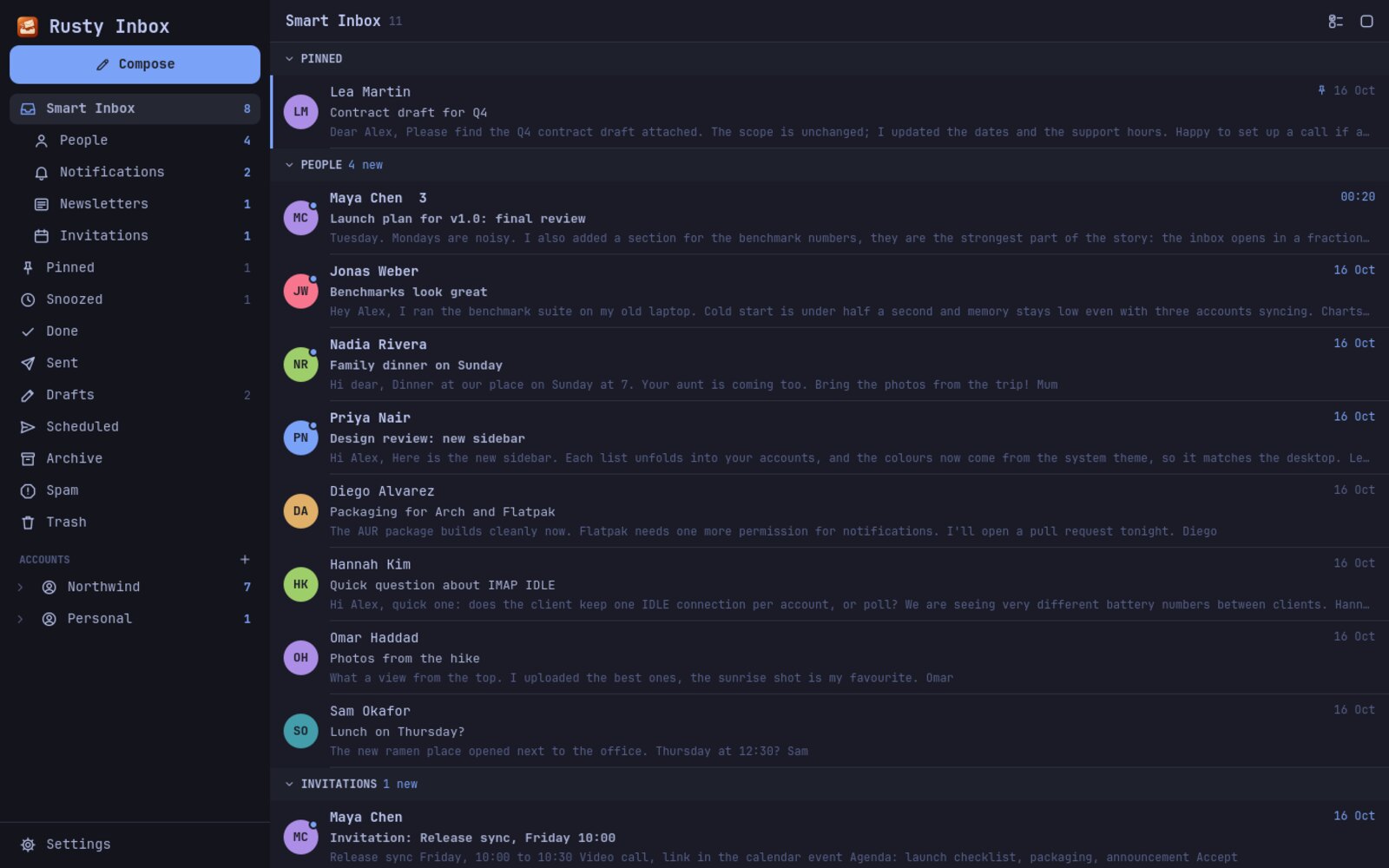 Rusty Inbox Smart Inbox: people first, notifications and newsletters grouped
How is Rusty Inbox built?
Rusty Inbox is two layers that never wait on each other. The engine, rusty-inbox-core, is a plain Rust library with no UI code: IMAP sync with async-imap over rustls, SMTP with lettre, MIME parsing with mail-parser, and a SQLite cache through rusqlite. The desktop app is Qt 6 / QML, connected to Rust through cxx-qt. A single QObject — the bridge — sits between them.
| Layer | What it does | Built with |
|---|---|---|
| Interface | Inbox, reader, composer, settings | Qt Quick / QML |
| Bridge | JSON in, Qt signals out | cxx-qt |
| Engine | Sync, send, drafts, search, import | Rust, Tokio |
| Storage | Threads, messages, outbox, settings | SQLite |
The rule that makes it feel fast is simple: the interface only ever reads local data synchronously, and everything that touches the network reports back later as a signal. When you open a thread, QML asks the bridge for what is already in SQLite and draws it immediately. Sync runs on a small Tokio runtime inside the app and emits a signal when new mail lands. Scrolling and typing never block on a server.
At the time of writing the project is about 7,300 lines of Rust and 3,800 lines of QML, with 64 automated tests.
Five decisions that kept it fast and reliable
1. Pool IMAP connections per account
Logging in to IMAP is the slowest thing a mail client does, and some providers throttle accounts that log in too often. The engine keeps a small pool of authenticated connections per account, checks a pooled connection with a cheap liveness probe before reuse, and hands it back when the job is done. Opening a folder reuses a warm session instead of a fresh TLS handshake and login.
2. Undo Send is an outbox, not a timer
Pressing Send does not send. It writes the message to a local outbox table with a send_at time — now plus the undo window, or the time you picked for Send Later. Undo simply turns the row back into a draft. A background loop claims due rows and sends them; if the server fails, the row is marked failed, kept under Scheduled and retried. Because the outbox lives in SQLite, a crash or a closed laptop never loses a message.
3. Smart Inbox reads headers, not content
Sorting mail into people, notifications and newsletters does not need AI or a server. The signals are already in every message: a List-Unsubscribe or List-Id header means a newsletter, a calendar part means an invitation, and Precedence: bulk or a sender like noreply@ means an automated notification. Everything else is a person. It is deterministic, instant, and runs entirely on your machine.
4. Render HTML mail in a sandbox
HTML email is untrusted content. Each message renders in its own iframe with the sandbox attribute and no allow-scripts, so no script in an email ever runs. Links open in your default browser instead of inside the app. The rest of the interface is native Qt Quick; a web view is used only for message bodies.
5. Import from Thunderbird by reading its own files
Most people switching mail clients come from Thunderbird, and re-typing server settings is where they give up. Rusty Inbox reads the Thunderbird profile directly — the account settings in prefs.js and the saved passwords in logins.json, decrypted with the key in NSS key4.db — so accounts, servers and passwords come over in one click (when the profile has no primary password).
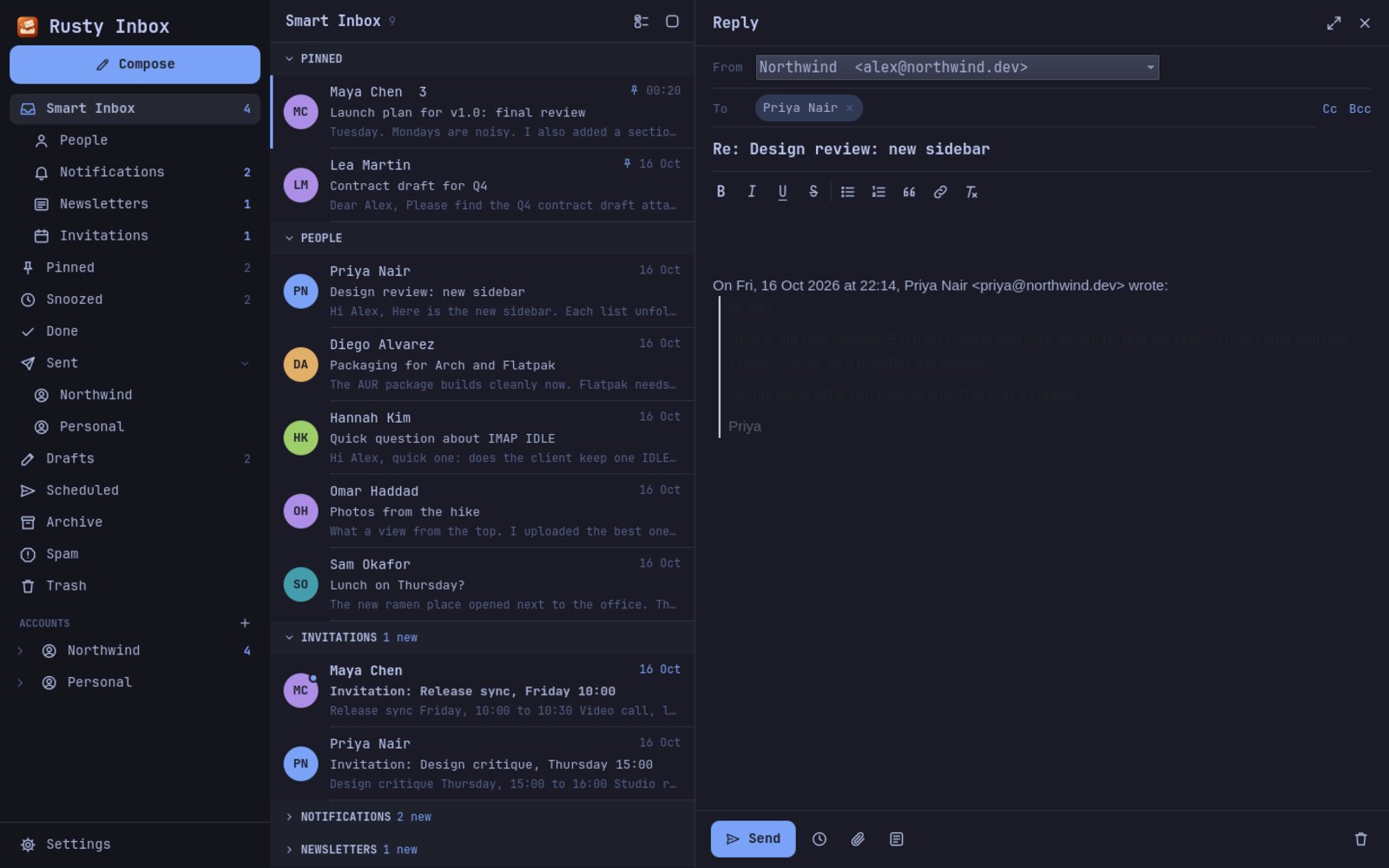 Replying in Rusty Inbox with recipient chips and attachments
Shipping one codebase to Linux, Windows and macOS
Qt and Rust both cross-compile well, so the work was packaging, not porting. A GitHub Actions pipeline builds every release:
- Linux: an AppImage and a Flatpak bundle, plus an Arch Linux PKGBUILD that builds from source.
- Windows 10/11: an installer and a portable zip.
- macOS 12+: a
.dmgfor Apple Silicon and Intel.
An install script picks the right package for your system and updates it when you run it again.
How do I install Rusty Inbox?
Download a package from GitHub Releases, or build it yourself with Rust 1.85+ and Qt 6.8+ (Qt Quick, Quick Controls 2 and Qt WebEngine):
git clone https://github.com/karem505/rusty-inbox && cd rusty-inbox
cargo build --release
./target/release/rusty-inbox
Then open Settings → Accounts. Most providers are detected from the address alone; for Gmail, create an app password and use it as the password. Coming from Thunderbird, choose Import from Thunderbird.
What I took from building it
Speed in a desktop app is mostly an architecture decision, not an optimisation pass: keep the UI on local data, push every slow thing behind a signal, and the app feels instant on any machine. The same thinking applies to the business software I build for companies — internal tools that open instantly and never make people wait on a spinner. If that is the kind of system your team needs, that is what my digital transformation consulting is for.
FAQ
Is Rusty Inbox free? Yes. It is open source under MIT or Apache 2.0, with no paid tier and no account to create.
Does Rusty Inbox work with Gmail? Yes, over IMAP and SMTP. Create a Google app password and use it as the account password.
Is Rusty Inbox a Thunderbird alternative? It is a faster, keyboard-first inbox, and it imports your Thunderbird accounts, servers and saved passwords in one click.
Does Rusty Inbox collect data? No. It has no analytics, crash reporting or servers of its own. It talks only to the mail servers you add.
What is Rusty Inbox built with? A Rust mail engine (async-imap, rustls, lettre, mail-parser, SQLite, Tokio) and a Qt 6 / QML interface connected through cxx-qt.
Try it, star it, or open an issue: github.com/karem505/rusty-inbox.